Glue: getting anonymous CDP data back to the browser
What they don’t tell you about eComm/CRO is how often the marketing stack almost does what you need… but not quite.
You end up hitting a gap that nobody’s built a connector for. When that happens, you end up having to write “glue”.
We use Segment as our CDP. It takes in browsing behaviour, builds audiences, and forwards them to marketing tools. The system works well - until you need that data back in the browser.
The Problem
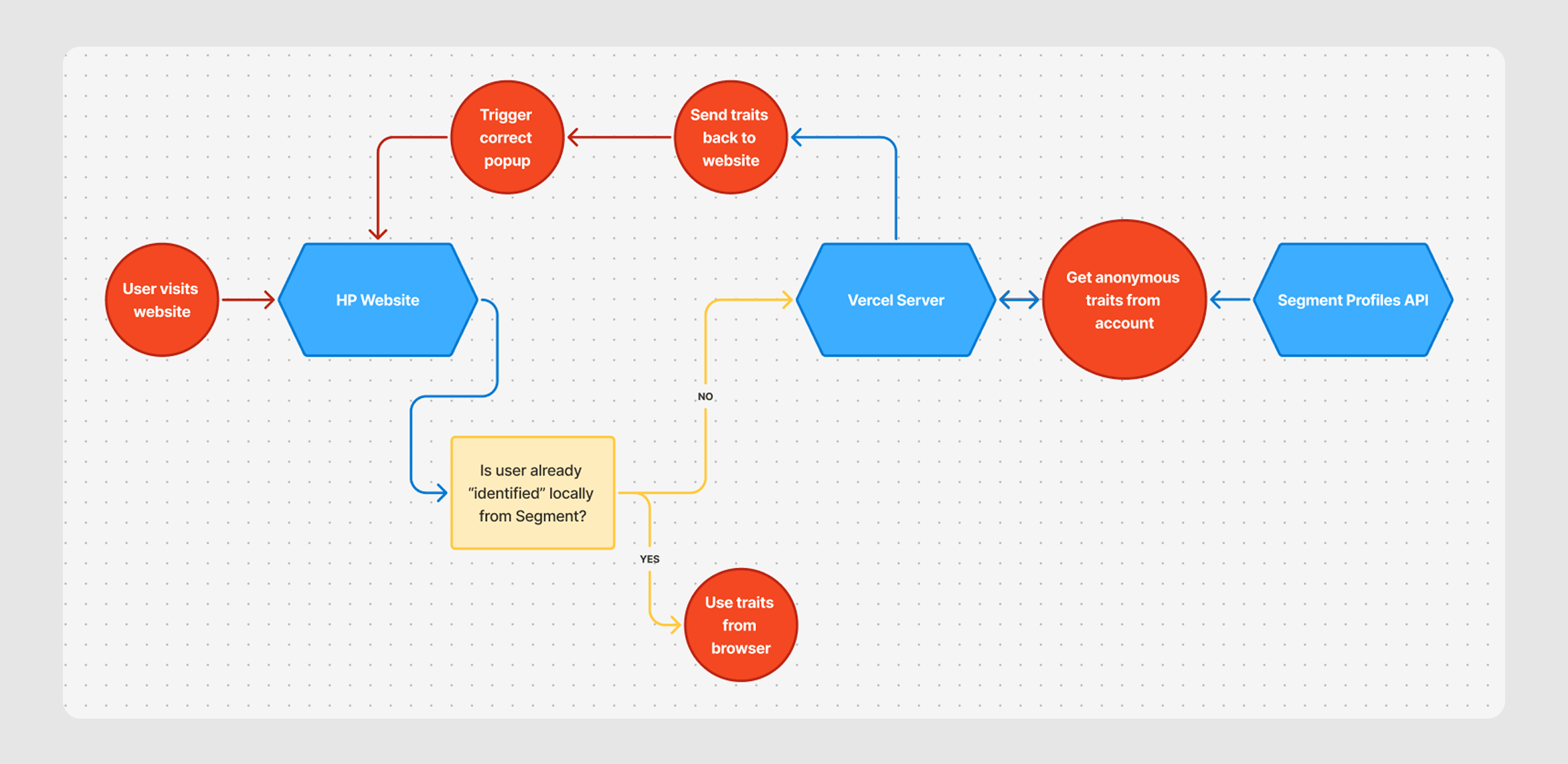
Our CMO came to me with a problem. She’d built an is_affluent audience in Segment based on browsing patterns, and wanted to show premium offers to those visitors straight away - without waiting for them to identify themselves. (This is the crux of problem!)
This might sound straightforward, but it wasn’t, because Segment data only flows one direction. The browser analytics object is a local payload - it reflects what you’ve sent to Segment, not what Segment has computed.
Audience membership lives behind the Profiles API, which needs server-side auth and can’t be called directly from the browser without exposing credentials and hitting CORS.
The data existed. The frontend just couldn’t ask for it safely…
The Fix
After researching a few options, I decided to build a small proxy - not something I’d had to do before, but nothing too complex.
A Next.js route handler on Vercel that sits between the page and Segment’s Profiles API - accepts an anonymous ID and a list of trait names, makes one authenticated request, and hands back a clean JSON response.
On the page side, it’s dead simple:
window.analytics.ready(async () => {
  const anonId = window.analytics.user().anonymousId();
  if (!anonId) return;

  const url = `${ENDPOINT}?anonymousId=${encodeURIComponent(anonId)}&audiences=${encodeURIComponent(AUDIENCES.join(','))}`;

  const res = await fetch(url, { signal: controller.signal });
  const json = await res.json();
  const results = (json && json.audiences) ? json.audiences : {};

  // manually clicking hidden popup elements in priority order - first true audience wins
  for (const name of AUDIENCES) {
    const node = results[name];
    if (node && node.boolean === true) {
      document.querySelector(POPUPS[name])?.click();
      return;
    }
  }
});
(P.S. we’re using “ConvertFlow” for our popups - and no, ConvertFlow doesn’t have a bidirectional Segment connector)
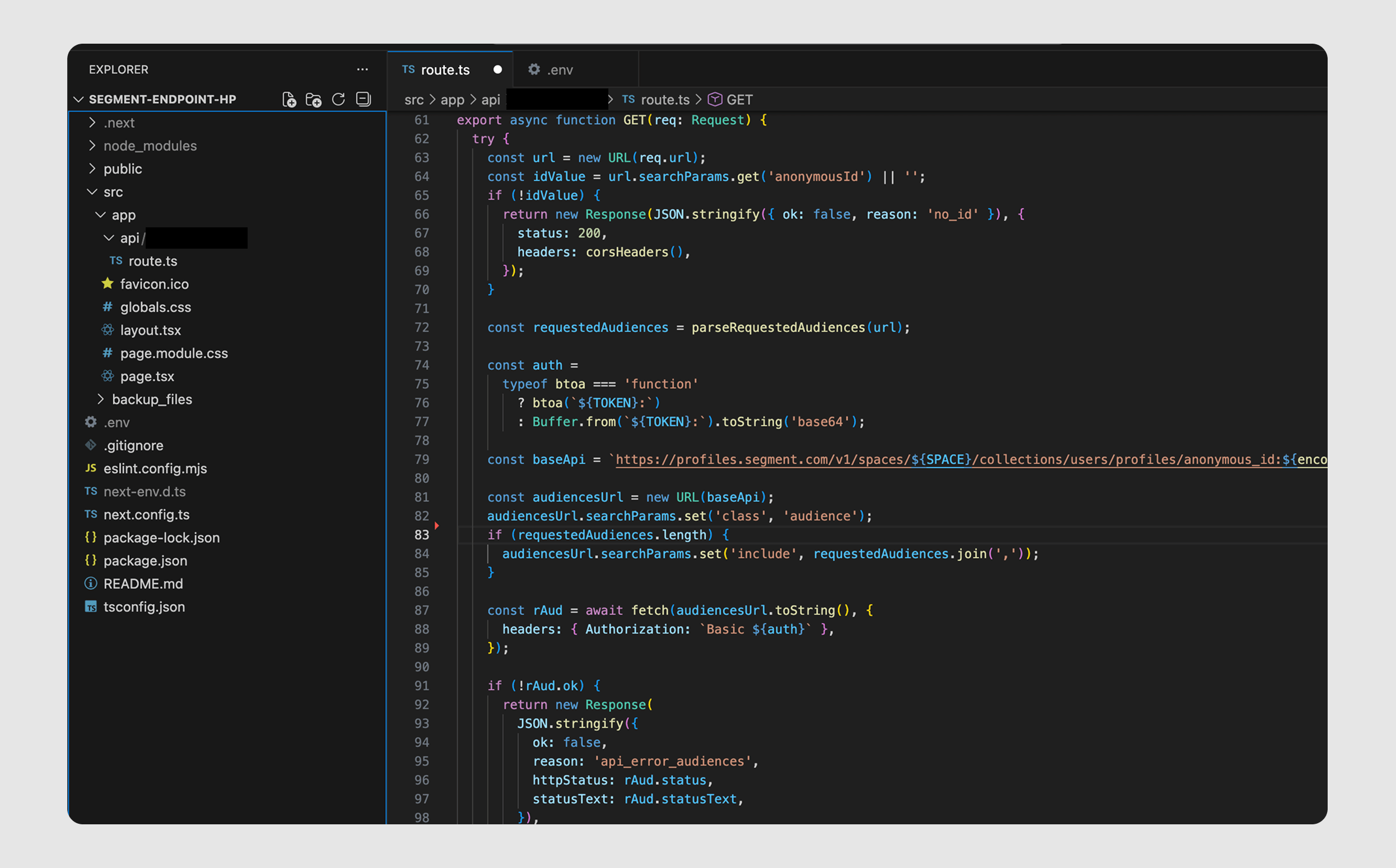
Now the proxy does the heavier lifting. It hits Segment’s Profiles API directly, scoped to audiences via the class param, and uses include= to pull back only the ones we asked for:
const baseApi = `https://profiles.segment.com/v1/spaces/${SPACE}/collections/users/profiles/anonymous_id:${encodeURIComponent(idValue)}/traits`;

const audiencesUrl = new URL(baseApi);
audiencesUrl.searchParams.set('class', 'audience');
if (requestedAudiences.length) {
  audiencesUrl.searchParams.set('include', requestedAudiences.join(','));
}

const rAud = await fetch(audiencesUrl.toString(), {
  headers: { Authorization: `Basic ${auth}` },
});
The token and space ID live in environment variables - never touch the browser. The response gets shaped into a consistent object per audience (value, exists, boolean) and sent back. That’s the whole loop.
Edges cases
A proxy like this lives or dies by how it deals with missing data and errors. Here’s roughly how the GET handler looks once you factor that in:
export async function GET(req: Request) {
  try {
    const url = new URL(req.url);
    const idValue = url.searchParams.get('anonymousId') || '';

    if (!idValue) {
      return new Response(JSON.stringify({ ok: false, reason: 'no_id' }), {
        status: 200, headers: corsHeaders()
      });
    }

    // ... fetch from Profiles API ...

    if (!rAud.ok) {
      return new Response(
        JSON.stringify({
          ok: false,
          reason: 'api_error_audiences',
          httpStatus: rAud.status,
        }),
        { status: 200, headers: { ...corsHeaders(), 'Cache-Control': 'no-store' } }
      );
    }

    // ... shape and return audiences ...

    return new Response(
      JSON.stringify({ ok: true, idValue, audiencesRequested, audiences }),
      {
        status: 200,
        headers: { ...corsHeaders(), 'Cache-Control': 'public, s-maxage=300, stale-while-revalidate=300' },
      }
    );
  } catch (err) {
    return new Response(JSON.stringify({ ok: false, reason: 'error' }), {
      status: 200, headers: { ...corsHeaders(), 'Cache-Control': 'no-store' }
    });
  }
}
A few things worth calling out. Everything comes back as HTTP 200 with an ok flag - the browser has one parsing path and doesn’t need to deal with transport errors.
An API error surfaces as an object marked no-store so we don’t cache mistakes, while the right path gets a 5-minute shared cache with “stale-while-revalidate” to stay snappy under load.
And the whole thing stays quiet. No credentials leak, no noisy error logs for normal cases. Just a clean response the page can act on immediately.
Risks?
An endpoint that takes an ID and returns user data is worth pausing on. Someone could theoretically throw an email or user ID into the URL and fish for information. (Like building a customer doxxing machine…)
But it doesn’t work that way - the proxy only ever returns the specific audiences you’ve asked for via include=, scoped to class=audience. You’re not getting a profile dump, a trait list, or anything beyond a handful of true/false flags. There’s nothing in that response that couldn’t already be inferred from the page the user is looking at.
What It Achieved
In practice, it did exactly what marketing needed. The premium offer showed up at the right moment for the right cohort.
We landed a huge 47.3% conversion rate on these popups! (Only about 300 customers, but no one can resist an offer tailormade for them!)
Generic discounts were suppressed where they weren’t needed - which mattered for margin. And visitors who didn’t match the audience got a gentler nudge: a simple free-shipping reminder. Helpful, not pushy.
The pattern is simple: hide upstream complexity, expose only what the page needs, keep secrets server-side. Sometimes the best infrastructure is just careful glue under pressure.